Controlling an SPI Encoder
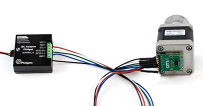
Use a magnetic encoder with the SPI Adapter Phidget.

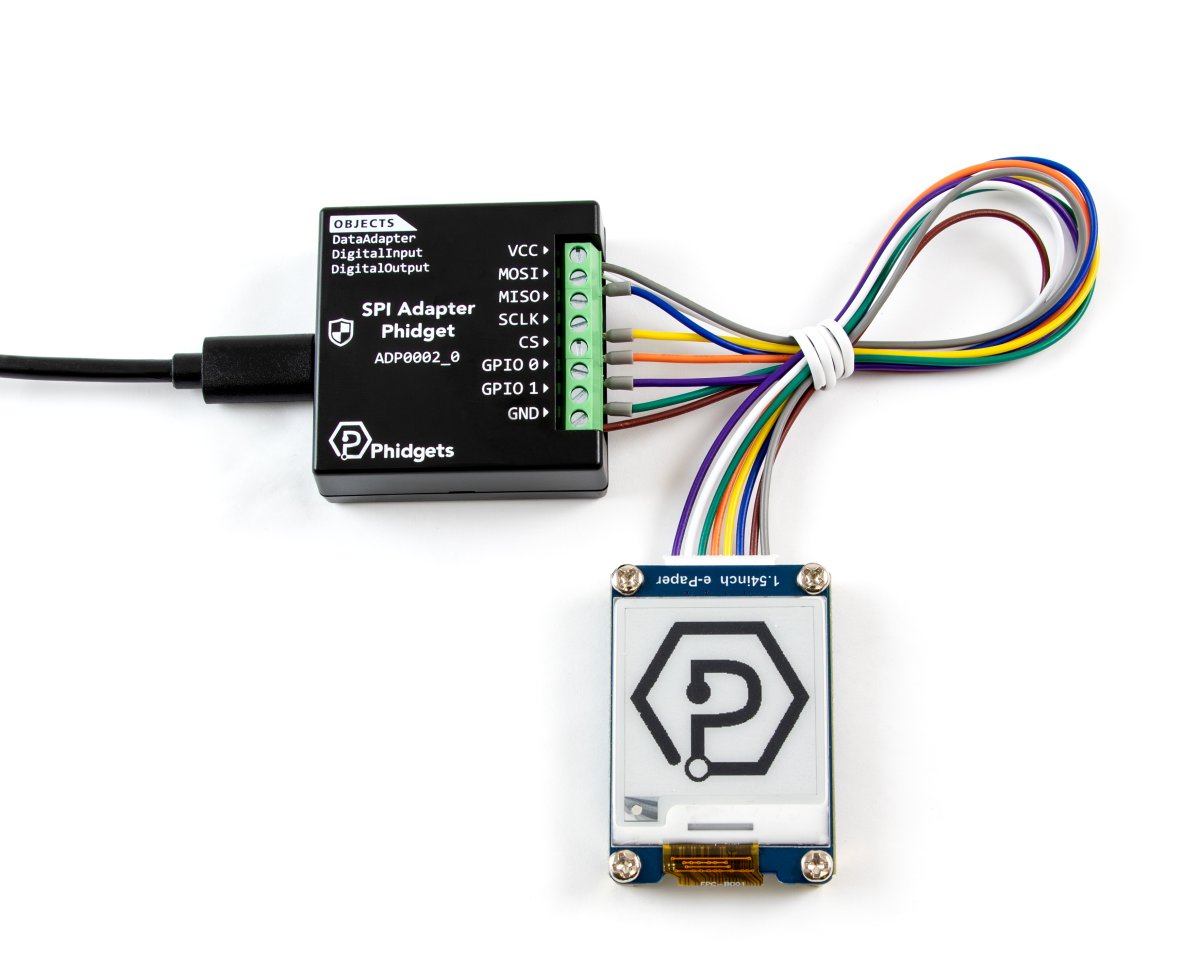
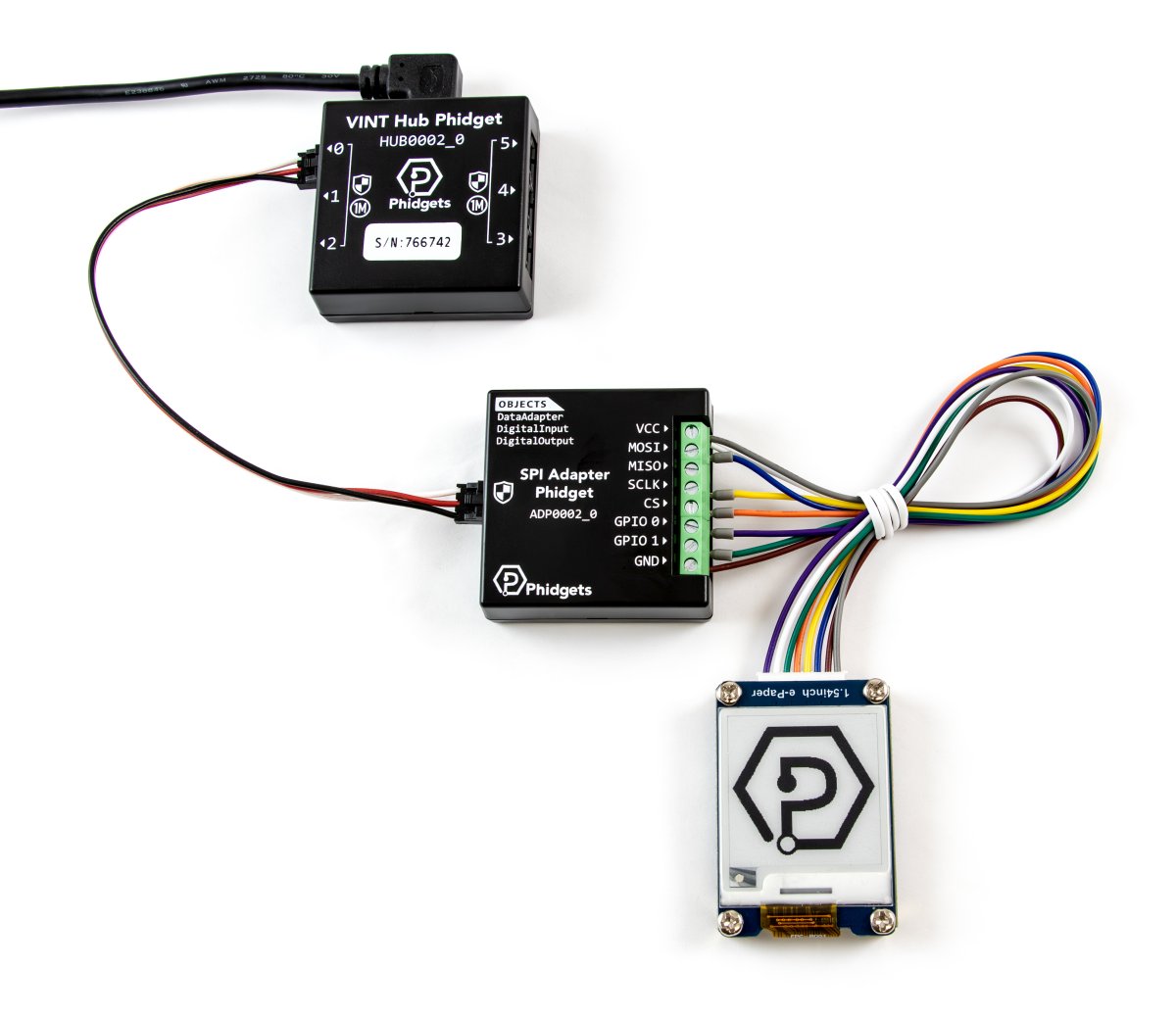
Quantity Available: 445
| Qty | Price |
|---|---|
| 10 | $47.50 |
| 25 | $42.50 |
| 50 | $37.50 |
| 100 | $35.00 |
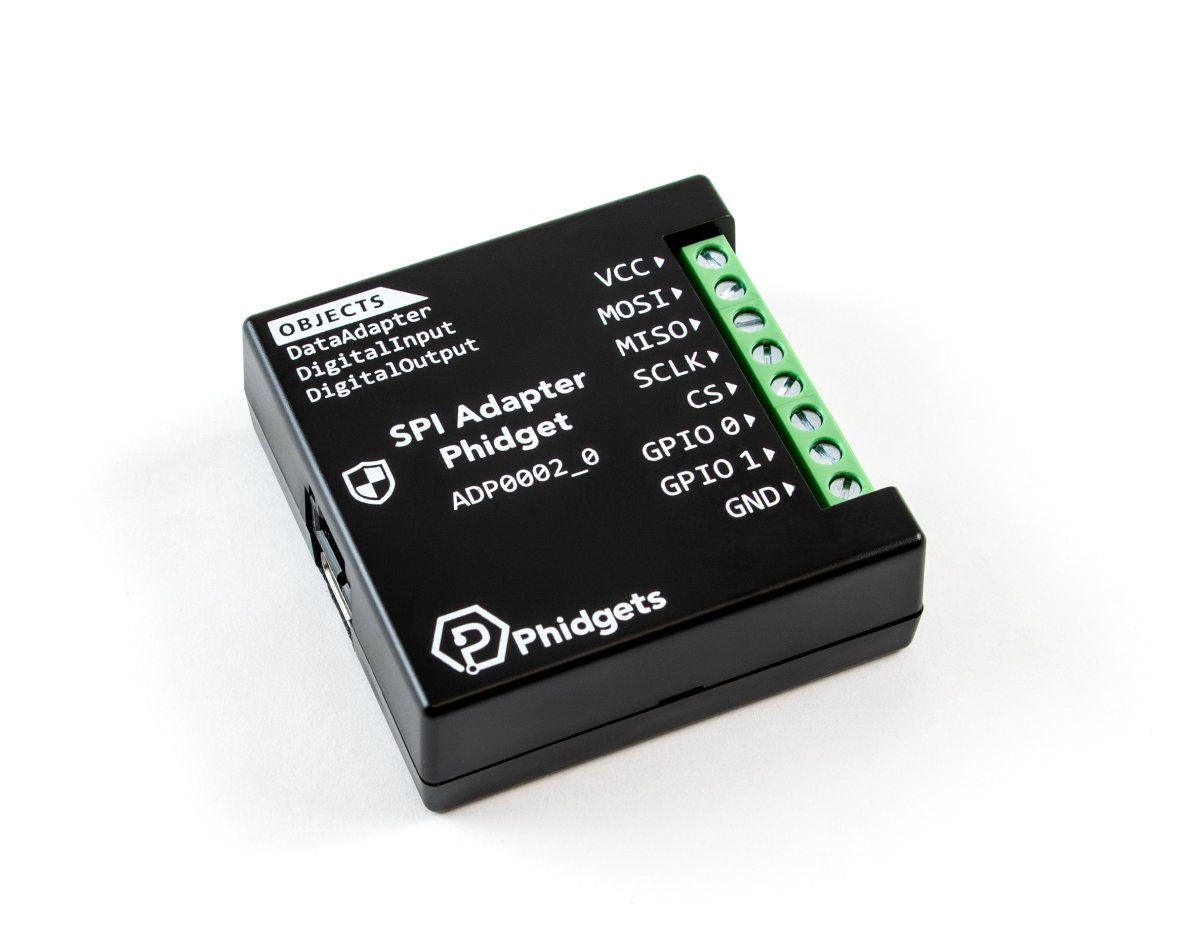
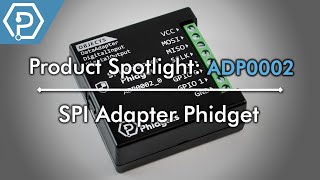
The SPI Adapter Phidget is an SPI controller that makes it easy to integrate an SPI device into your Phidgets application.
This controller offers software-configurable communication frequencies and voltage levels. It also includes two general-purpose input/output terminals that can each be configured as a Digital Input or a Digital Output.
You can connect the SPI Adapter Phidget directly to your computer via USB or through a VINT Hub Phidget.
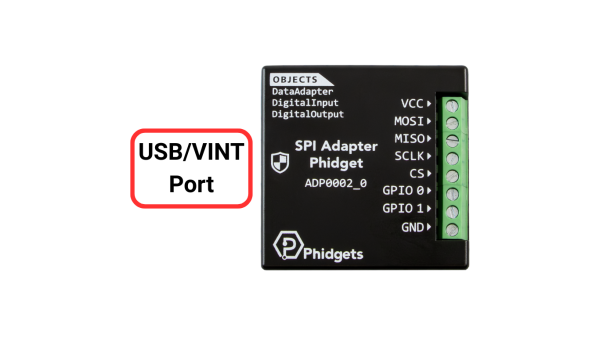
| USB/VINT Port | This device can be controlled directly via USB, or through a VINT Hub Phidget. |
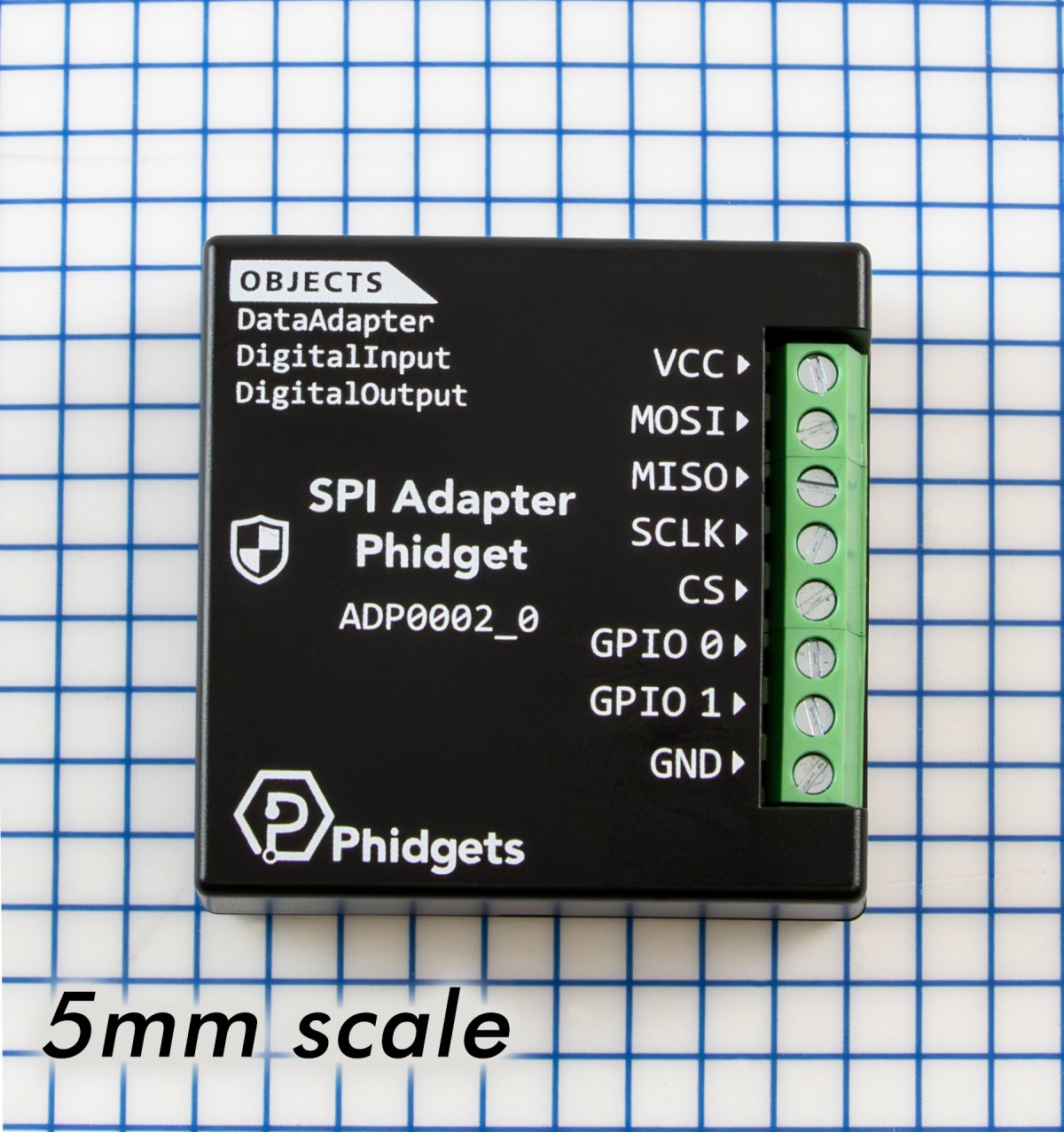
| VCC | Power terminal to supply your attached SPI device. Use the DataAdapterVoltage property to select the appropriate voltage, or use external mode if there's already an outside power source for the device.
|
| MOSI | Connect this terminal to the MOSI (sometimes called SDI) pin on the SPI device. |
| MISO | Connect this terminal to the MISO (sometimes called SDO) pin on the SPI device. |
| SCLK | Connect this terminal to the SCLK (sometimes called CLK) pin on the SPI device. |
| CS | The chip select terminal. This controls which SPI device the SPI Adapter Phidget is communicating with. Additional chip select signals can be added using the two GPIO terminals. |
| GPIO 1/GPIO 2 | Two general-purpose input/output pins to help you communicate with devices that have additional controls or output signals. |
| GND | Ground terminal. |
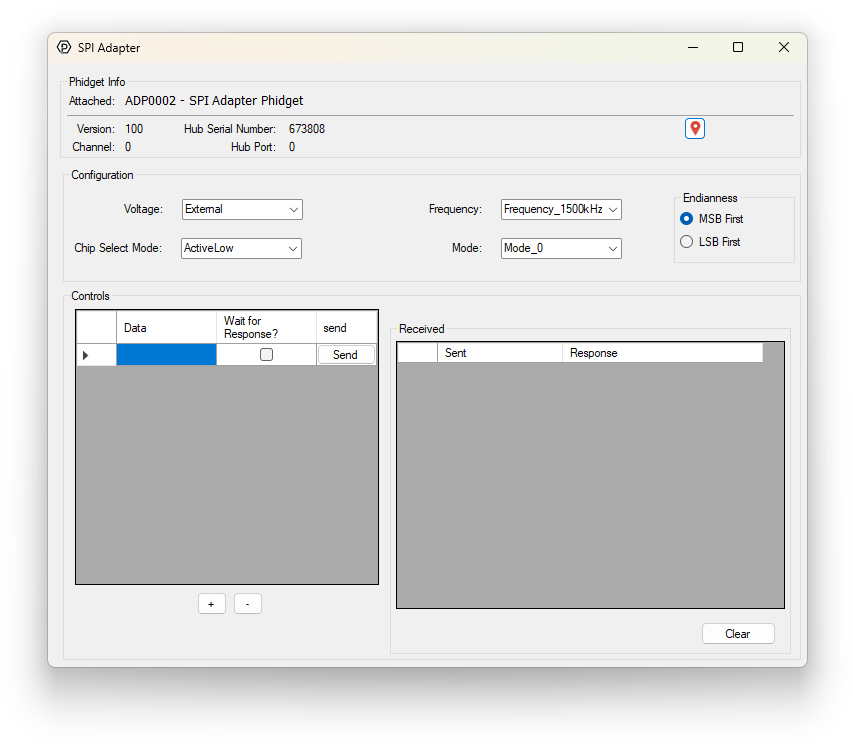
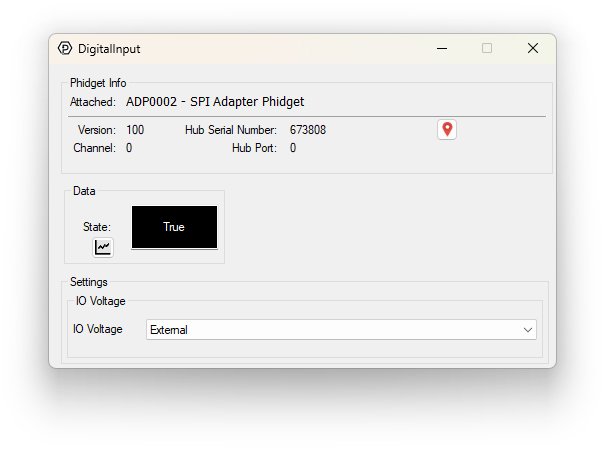
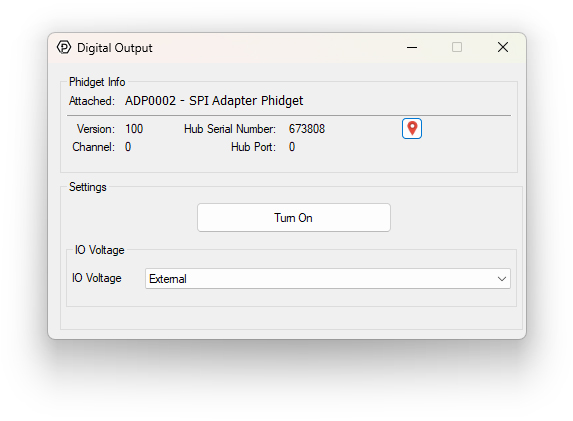
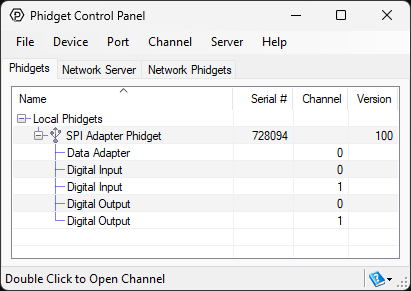
Use the Phidget Control Panel to explore your device's functionality. Each channel is described below.
Firmware Upgrade
MacOS users can upgrade device firmware by double-clicking the device row in the Phidget Control Panel.
Linux users can upgrade via the phidget22admin tool (see included readme for instructions).
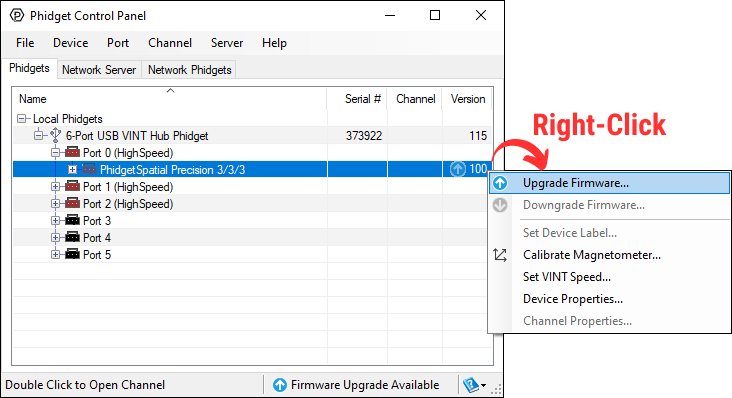
Windows users can upgrade the firmware for this device using the Phidget Control Panel as shown below.
Firmware Downgrade
Firmware upgrades include important bug fixes and performance improvements, but there are some situations where you may want to revert to an old version of the firmware (for instance, when an application you're using is compiled using an older version of phidget22 that doesn't recognize the new firmware).
MacOS and Linux users can downgrade using the phidget22admin tool in the terminal (see included readme for instructions).
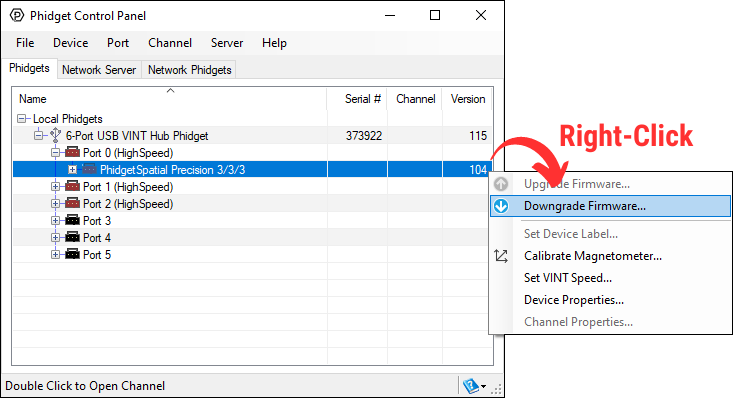
Windows users can downgrade directly from the Phidget Control Panel if they have driver version 1.9.20220112 or newer:
Firmware Version Numbering Schema
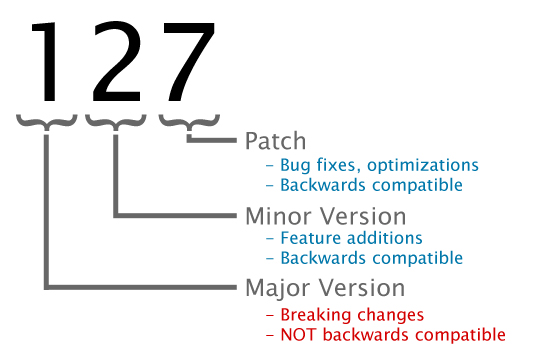
Phidgets device firmware is represented by a 3-digit number. For firmware patch notes, see the device history section on the Specifications tab on your device's product page.
| Part Numbers | ADP0002_0MX, ADP0002_0 |
| Board Properties | |
|---|---|
| Controlled By | VINT or USB |
| USB Stack | PHIDUSB |
| Driver Support | Phidget22 |
| VINT Communication Speed Max | 1 Mbit/s |
| USB Speed | Full Speed |
| Data Adapter | |
| Data Protocol | SPI |
| Data Rate Min | 188 kHz |
| Data Rate Max | * 6 MHz |
| Max Data per Send | 2 KiB |
| Selectable Output Voltage Levels | 2.5V, 3.3V, 5.0V, or Externally supplied |
| Externally Supplied Voltage Min | 1.8 V |
| Electrical Properties | |
| Current Consumption (Unconfigured) | 50 mA |
| Current Consumption Max | ** 125 mA |
| USB Voltage Min | 4.1 V DC |
| USB Voltage Max | 5.3 V DC |
| Digital Inputs | |
| Number of Digital Inputs | (Shared) 2 |
| Pull-up Resistance | 10 kΩ |
| Input Voltage Max | 5.5 V DC |
| Digital Input Type | Floating |
| Low Voltage Max (False) | *** 1.5 V DC |
| High Voltage Min (True) | *** 3.5 V DC |
| Digital Outputs | |
| Number of Digital Outputs | (Shared) 2 |
| Series Resistance | 100 Ω |
| Available External Current | 10 mA |
| Digital Output Voltage Min | 0 V DC |
| Digital Output Voltage Max | ‡ 5 V DC |
| Physical Properties | |
| Operating Temperature Min | -40 °C |
| Operating Temperature Max | 85 °C |
| Recommended Wire Size | 16 - 26 AWG |
| Customs Information | |
| Canadian HS Export Code | 8471.80.00 |
| American HTS Import Code | 8471.80.40.00 |
| Country of Origin | |
| ADP0002_0MX | MX (Mexico) |
| ADP0002_0 | CN (China) |
* - High communication speeds not guaranteed for all applications. Long wires and electrically noisy environments may lower maximum viable communication speed.
** - Maximum current consumption varies depending on connected SPI device.
*** - Varies depending on selected or provided voltage, see table below.
‡ - Selectable via the DataAdapterVoltage API property.
| I/O Voltage | Low Voltage Max | High Voltage Min | |
|---|---|---|---|
| 5V | 1.5V | 3.5V | |
| 3.3V | 0.8V | 2V | |
| 2.5V | 0.7V | 1.7V | |
| < 2V | 0.35 * I/O Voltage | 0.65 * I/O Voltage |
| Date | Board Revision | Device Version | Comment |
|---|---|---|---|
| Jan 2026 | 0 | 100 | Product Release |
| Channel Name | API | Channel | Interface |
|---|---|---|---|
| SPI Adapter Phidget | |||
| Data Adapter | DataAdapter | 0 | USB |
| Digital Input | DigitalInput | 0 - 1 | USB |
| Digital Output | DigitalOutput | 0 - 1 | USB |
| SPI Adapter Phidget | |||
| Data Adapter | DataAdapter | 0 | VINT |
| Digital Input | DigitalInput | 0 - 1 | VINT |
| Digital Output | DigitalOutput | 0 - 1 | VINT |
| API | Detail | Language | OS | |
|---|---|---|---|---|
| DataAdapter | Visual Studio GUI | C# | Windows | Download |
| DataAdapter | Objective-C | macOS | Download | |
| DataAdapter | Max | Multiple | Download | |
| DigitalInput | Visual Studio GUI | C# | Windows | Download |
| DigitalInput | Objective-C | macOS | Download | |
| DigitalInput | Swift | macOS | Download | |
| DigitalInput | Swift | iOS | Download | |
| DigitalInput | Visual Basic | Windows | Download | |
| DigitalInput | Max | Multiple | Download | |
| DigitalOutput | Visual Studio GUI | C# | Windows | Download |
| DigitalOutput | Objective-C | macOS | Download | |
| DigitalOutput | Swift | macOS | Download | |
| DigitalOutput | Swift | iOS | Download | |
| DigitalOutput | Visual Basic | Windows | Download | |
| DigitalOutput | Max | Multiple | Download |
When used in USB mode, you'll need a USB cable to connect the ADP0002 to a computer. We have a number of different lengths available, although the maximum length of a USB cable is 5 meters due to limitations in the timing protocol. For longer distances, we recommend you use VINT mode (see the maximum cable length section on the Specifications tab for more information).
| Product | Physical Properties | ||||
|---|---|---|---|---|---|
| Part Number | Price | Connector A | Connector B | Cable Length | Cable Gauge |
 USB-C to USB-A Cable 28cm 24AWG
|
$5.00 | USB Type C | USB Type A | 280 mm | 24 AWG |
 USB-C to USB-C Cable 28cm 24AWG
|
$5.00 | USB Type C | USB Type C | 280 mm | 24 AWG |
 USB-C to USB-A Cable 60cm 24AWG
|
$6.00 | USB Type C | USB Type A | 600 mm | 24 AWG |
 USB-C to USB-C Cable 60cm 24AWG
|
$6.00 | USB Type C | USB Type C | 600 mm | 24 AWG |
 USB-C to USB-A Cable 180cm 24AWG
|
$7.00 | USB Type C | USB Type A | 1.8 m | 24 AWG |
 USB-C to USB-C Cable 180cm 24AWG
|
$7.00 | USB Type C | USB Type C | 1.8 m | 24 AWG |
When used in VINT mode, you'll need a Phidget cable to connect the ADP0002 to a VINT Hub. You can solder multiple cables together in order to make even longer Phidget cables, but you should be aware of the effects of having long wires in your system. See the maximum cable length section on the Specifications tab for more informaton.
| Product | Physical Properties | |
|---|---|---|
| Part Number | Price | Cable Length |
 Phidget Cable 10cm
|
$1.50 | 100 mm |
 Phidget Cable 30cm
|
$1.75 | 300 mm |
 Phidget Cable 60cm
|
$2.00 | 600 mm |
 Phidget Cable 60cm
|
$2.00 | 600 mm |
 Phidget Cable 90cm
|
$2.00 | 900 mm |
 Phidget Cable 120cm
|
$2.25 | 1.2 m |
 Phidget Cable 150cm
|
$2.50 | 1.5 m |
 Phidget Cable 180cm
|
$2.75 | 1.8 m |
 Phidget Cable 350cm
|
$3.00 | 3.5 m |
 Phidget Cable Kit
|
$10.00 | 80 mm |
 Phidget Cable Extension Wire 22AWG
|
$0.75/Meter | — |
To use the ADP0002 in VINT mode, you'll need a VINT Hub. For more information about VINT, have a look at the VINT Overview page. You can use a Phidget Cable to simply and easily connect the two devices. Here's a list of all of the different VINT Hubs currently available:
| Product | Board Properties | |||
|---|---|---|---|---|
| Part Number | Price | Number of VINT Ports | VINT Communication Speed Max | Controlled By |
 VINT Hub Phidget
|
$40.00 | 6 | 1 Mbit/s | USB (USB-C) |
 VINT Hub Phidget
|
$40.00 | 6 | 1 Mbit/s | USB (Mini-USB) |
 1-Port VINT Hub Phidget
|
$26.00 | 1 | 1 Mbit/s | USB (USB-A) |
 Wireless VINT Hub
|
$65.00 | 6 | 100 kbit/s | Local Network (Ethernet or Wi-Fi) |
 PhidgetSBC4
|
$130.00 | 6 | 100 kbit/s | — |