OS - Windows
Quick Downloads
Our libraries support Windows 8 and newer.
Other Resources
Getting Started with Windows
Install
To get started, download the appropriate installer for your machine from the list above. This will install the Phidget Control Panel, a powerful tool that will help you develop your Phidget applications.
Phidget Control Panel
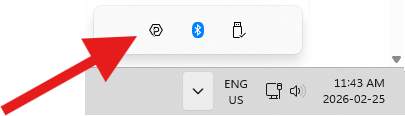
After installing, you can find the application through your system tray, or by opening the start menu and searching for Phidget Control Panel.
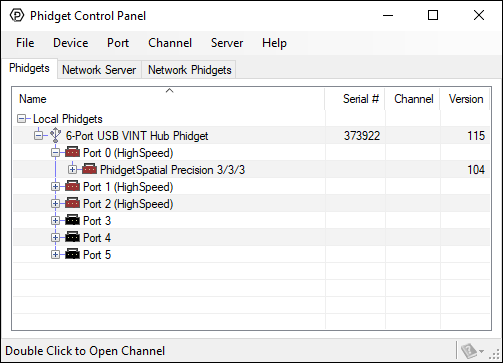
After opening, you will see all the Phidgets that are plugged into your machine, as well as any Phidgets that are on your network.
Click on the + beside a device to expand it so that you can see all available channels. Double-click on one of these channels to open up a window that lets you interact with it.
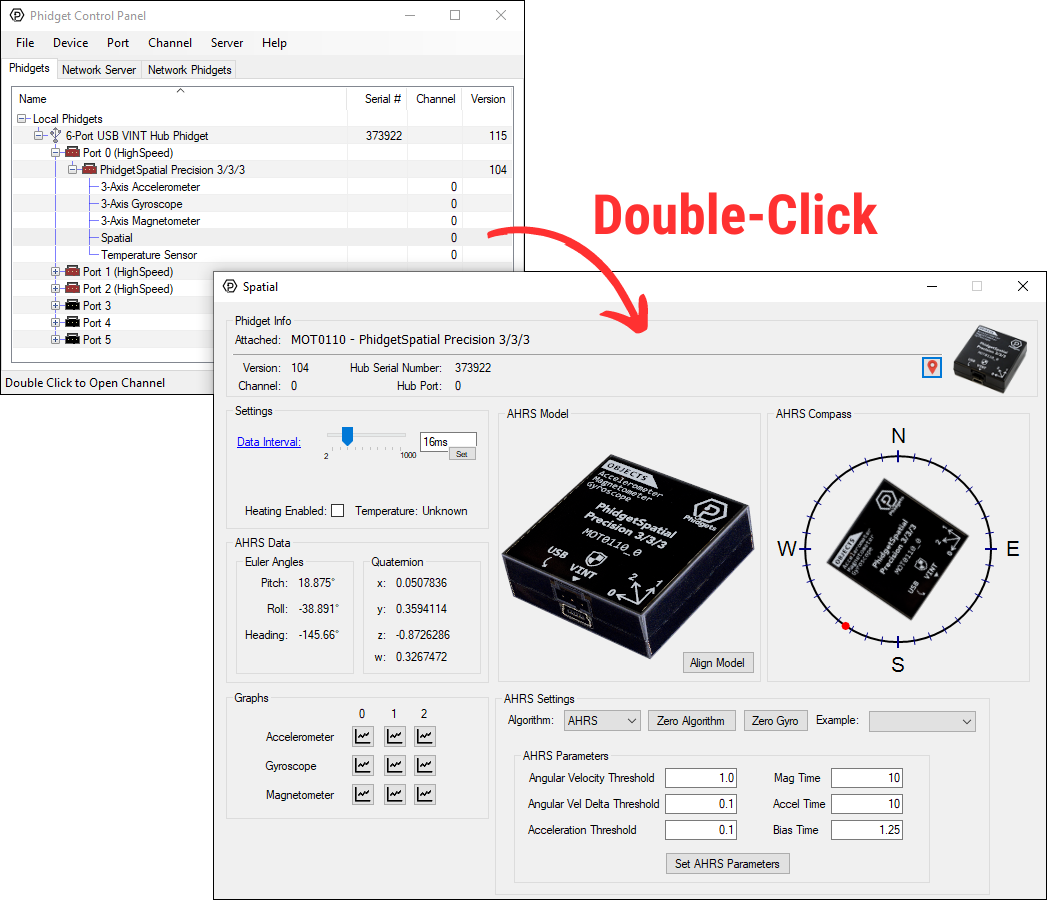
The Phidget Control Panel can be used for testing devices, updating firmware, enabling a Phidget Network Server, and more. Visit the Phidget Control Panel page for more information.
Programming
When you are ready to develop your own applications, visit our programming resources page and select your programming language to get started.
Software License
By downloading the installer and/or development files, you agree to adhere to the terms of the Phidgets End User License Agreement. The Phidget libraries and development files are covered by the The 3-Clause BSD License.