OS - Windows: Difference between revisions
No edit summary |
|||
| (494 intermediate revisions by 10 users not shown) | |||
| Line 1: | Line 1: | ||
<metadesc>Communicate over USB with sensors, controllers and relays with Phidgets! Program in Windows using a wide variety of programming languages.</metadesc> | |||
[[Category:OS]] | |||
== | ==Quick Downloads== | ||
Our libraries support Windows 8 and newer. | |||
*[ | *[https://cdn.phidgets.com/downloads/phidget22/libraries/windows/Phidget22-x64.exe Installer Download (64-bit)] | ||
*[https://cdn.phidgets.com/downloads/phidget22/libraries/windows/Phidget22-ARM64.exe Installer Download (ARM64)] | |||
*[https://cdn.phidgets.com/downloads/phidget22/libraries/windows/Phidget22-x86.exe Installer Download (32-bit)] | |||
*[ | |||
*[ | |||
== | ===Other Resources=== | ||
* [[OS - Windows Advanced Information|Windows Advanced Information]] | |||
*[https://cdn.phidgets.com/downloads/phidget22/libraries/windows/Phidget22-windevel.zip Windows Development Files] | |||
* [https://www.phidgets.com/downloads/phidget22/libraries/windows/ Previous Releases] | |||
== | ==Getting Started with Windows== | ||
===Install=== | |||
To get started, download the appropriate [[#Quick Downloads|installer]] for your machine from the list above. This will install the Phidget Control Panel and the Phidget Network Server. These are powerful tools that will help you develop your Phidget applications. | |||
== | ===Phidget Control Panel=== | ||
After installing, you can find the application through your system tray, or by opening the start menu and searching for ''Phidget Control Panel''. | |||
[[Image:Os_windows_systemtray.png|link=|center]] | |||
After opening, you will see all the Phidgets that are plugged into your machine, as well as any Phidgets that are on your network. | |||
[[File:Windows ControlPanel General.PNG|link=|alt=Windows Control Panel General|center]] | |||
Click on the '''+''' beside a device to expand it so that you can see all available channels. Double-click on one of these channels to open up a window that lets you interact with it. | |||
[[File:Controlpanel_openapplication.png|500px|link=https://cdn.phidgets.com/docs/images/b/bd/Controlpanel_openapplication.png|alt=Windows Control Panel General|center]] | |||
The Phidget Control Panel can be used for testing devices, updating firmware, enabling a Phidget Network Server, and more. Visit the [[Phidget Control Panel|Phidget Control Panel page]] for more information. | |||
===Programming=== | |||
When you are ready to develop your own applications, visit our [{{SERVER}}/docs/Programming_Resources programming resources page] and select your programming language to get started. | |||
==Software License== | |||
By downloading the installer and/or development files, you agree to adhere to the terms of the [{{SERVER}}/documentation/Licenses/Phidgets_EULA.pdf Phidgets End User License Agreement]. The Phidget libraries and development files are covered by the The 3-Clause BSD License. | |||
Latest revision as of 16:28, 3 March 2026
Quick Downloads
Our libraries support Windows 8 and newer.
Other Resources
Getting Started with Windows
Install
To get started, download the appropriate installer for your machine from the list above. This will install the Phidget Control Panel and the Phidget Network Server. These are powerful tools that will help you develop your Phidget applications.
Phidget Control Panel
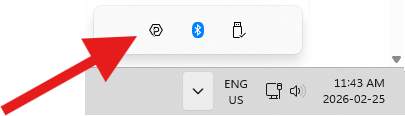
After installing, you can find the application through your system tray, or by opening the start menu and searching for Phidget Control Panel.
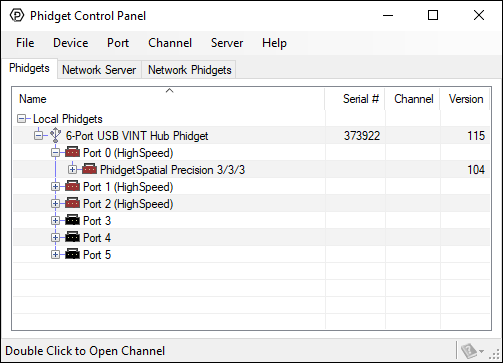
After opening, you will see all the Phidgets that are plugged into your machine, as well as any Phidgets that are on your network.
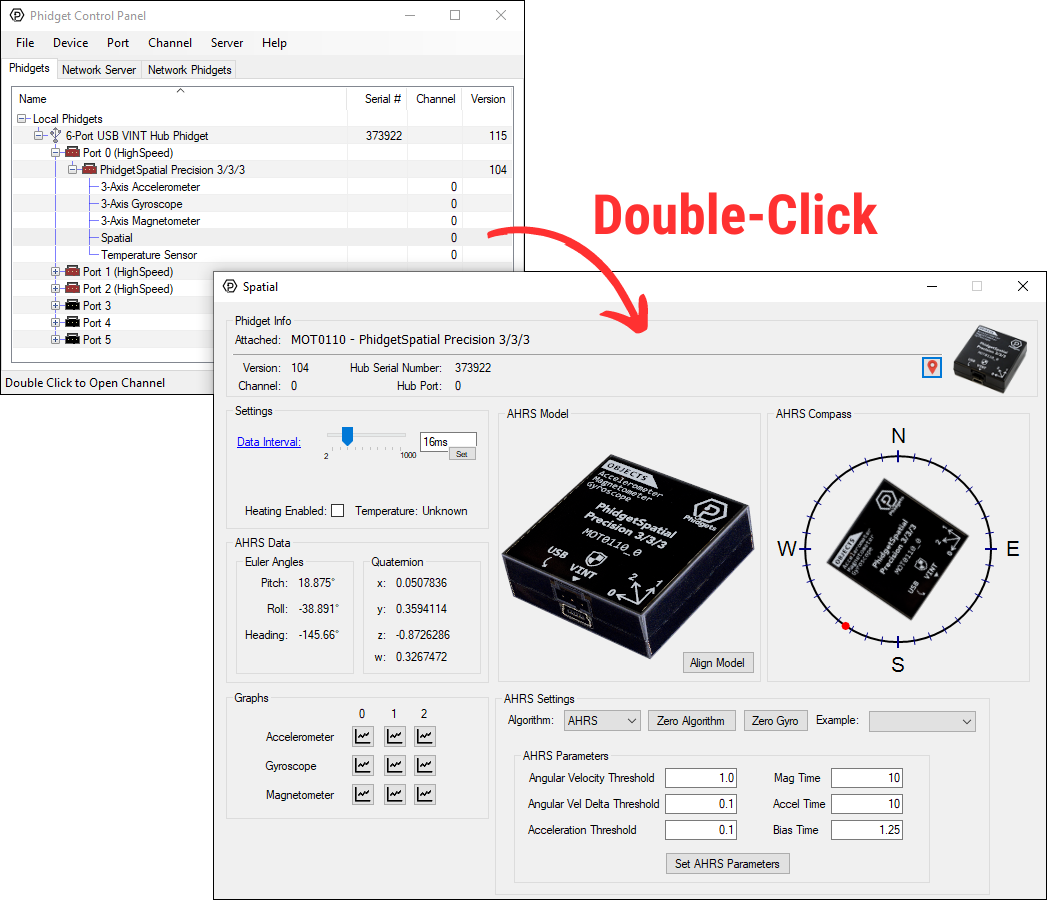
Click on the + beside a device to expand it so that you can see all available channels. Double-click on one of these channels to open up a window that lets you interact with it.
The Phidget Control Panel can be used for testing devices, updating firmware, enabling a Phidget Network Server, and more. Visit the Phidget Control Panel page for more information.
Programming
When you are ready to develop your own applications, visit our programming resources page and select your programming language to get started.
Software License
By downloading the installer and/or development files, you agree to adhere to the terms of the Phidgets End User License Agreement. The Phidget libraries and development files are covered by the The 3-Clause BSD License.